Every detail matters when it comes to creating an elevated unboxing experience. If you’ve already decided to go with durable, cost-efficient, and sustainable corrugated packaging, you still have some decisions ahead — including which printing method is best.
Throughout this blog, we’ll highlight the two most common printing methods for corrugated packaging and labels: digital and flexographic printing. Along with addressing the different printing processes, we’ll cover additional considerations, including:
- Advantages and disadvantages of each process
- Key takeaways, when selecting between digital printing methods
- The future of digital printing in the packaging industry
- Real-world benefits of switching from flexo to digital printing
While there’s no clear answer to the question, “What’s the best printing method for packaging?”, this guide can help you determine the best approach and the system most advantageous for your business’s unique needs and goals.
What is Flexographic Printing?
An analog printing method that functions much like stamping, flexographic printing, AKA “flexo,” dates back to centuries-old letterpress printing techniques.
During flexo printing, ink is applied to flexible photopolymer printing plates imprinted with raised images. The rubber plates are then attached to cylinders mounted onto a web press and rolled over the printing surface at high speed to create high-resolution images. Each color within the design requires a unique plate. This printing technology has powered packaging and label production for decades, and flexographic presses remain a mainstay across the industry.
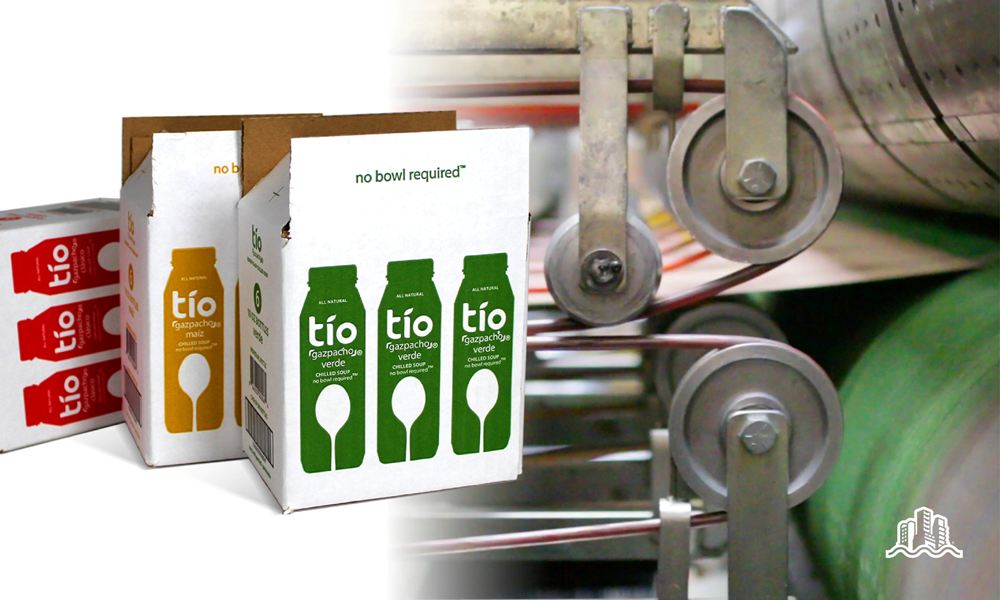
Flexo Printing: Pros, Cons, and Key Takeaways
Pros of Flexo Printing
- Precise color matching
- Ability to produce high volumes within a short timeframe
- Good quality and consistent results
- Cost-efficient for long print runs and larger quantities (as with litho offset printing)
Cons of Flexo Printing
- Requires the use of print plates for each color
- Requires new plates each time design changes are made to artwork
- Time-consuming setup on the machine
- Not ideal for short or custom runs
Key Takeaways for Flexo Printing
If Pantone color matching and high volume, cost-effective single-job printing are your primary priorities, flexo printing, powered by flexographic presses, may be the optimal choice.
What is Digital Printing?
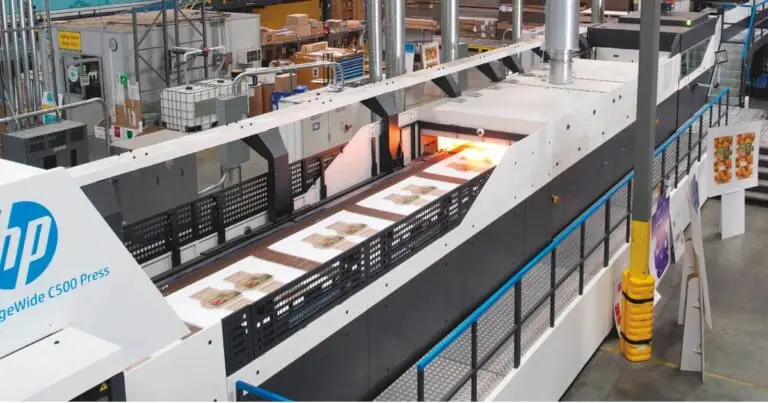
Digital technologies have disrupted many aspects of business; digital printing is one example. Also known as industrial inkjet printing, digital printing is a non-contact, plate-free printing method in which the ink is directly propelled onto the printing surface to produce the desired text or image. This printing technology relies on ink jetted directly onto the substrate rather than transferred from a plate, which is also what makes digital label printing possible for packaging and label converters alike.

The Pros and Cons of Digital Printing
The Pros of Digital Printing
- Quick setups and efficient turnarounds
- Suitable for low-volume jobs and short runs
- Variable data handling supports mass customization, branding personalization, and flexibility across multiple SKUs
- Increased flexibility to change artwork without ties to print plates
- Sustainable process with water-based ink options
The Cons of Digital Printing
- Potential color matching limitations compared to the spot colors achievable with flexo
- Not suitable for high volumes
Key Takeaways for Digital Printing
If flexibility, customization, and speed across small, mid-size, and large jobs are your primary priorities, digital printing may be best for you.
Is Digital Printing the Future of the Packaging Industry?
While digital printing methods were once viewed as inferior to analog technologies, technological advancements have primarily leveled the playing field. This versatility, combined with flexibility and speed, makes digital an increasingly practical choice across packaging and label applications alike.
Today, print quality results for digital printing are comparable in quality to flexographic printing. While flexo may still be the best choice if you’re printing a large volume of a single design, digital printing has exciting opportunities for small-batch printing and variations.
5 Real-World Benefits of Switching to Digital Printing
Still deciding whether embracing digital printing may be suitable for your business? Here are five digital printing benefits seen in case studies of companies that have made the switch:
- High-tech processes, like direct-to-board printing, have not only put digital printing within striking distance of flexo (in terms of print quality), but have surpassed it across factors, like fine details, more seamless tone transitions, sharper text and barcodes, and enhanced vibrancy, resulting in more eye-catching, intricate designs.
- Digital has opened the door to more flexible and personalized packaging targeted to unique audiences (One example: Coca-Cola’s innovative “Share a Coke” campaign)
- Digital’s faster setup times and print-on-demand nature have mitigated barriers to entry for smaller businesses, helping reduce setup time and promising affordable results at any scale
- Thanks to advancements in digital efficiency and production speeds, businesses can take on higher-volume opportunities without compromising quality, speed, or budget
- While digital printing inks were once unsuitable for corrugated packaging for sensitive applications, like food, beauty, pet, and baby products, evolving technologies have produced proper food-safe ink options that comply with stringent regulations, while fulfilling consumer demand for purposeful packaging
Comparing Costs: Digital and Flexo Printing
Cost is often the first question brands ask when comparing digital and flexo printing, and the honest answer is: it depends on how many labels you need. Your label design and substrate choice both factor into the final price, alongside run length.
Setup Costs and Plate Costs
Flexographic printing requires a new plate for every color in a design, and those plate costs are due upfront, before a single label prints. If you have multiple SKUs, each with its own design, plate costs multiply fast. A digital label printing press skips that step entirely, which is why digital printing is generally cheaper to start a job, even if flexo can become more cost-effective once volume climbs high enough.
Cost Per Label as Order Size Grows
Flexographic printing can produce labels at a lower per-unit cost once a run is long enough to absorb the setup costs and new plates. For larger runs, especially larger quantities in the tens of thousands, flexo presses spread that investment across more units. Digital label printing, by contrast, keeps per-unit label costs flatter across small and mid-size orders, since there’s no plate cost to amortize in the first place.
Print Quality and Color Matching: Flexo and Digital Printing
Flexo and digital printing approach color differently, and that difference shows up most in how each handles spot colors versus process color. Both methods are capable of high-quality output once dialed in correctly.
Spot Colors vs. CMYK
Flexographic presses build spot colors from dedicated ink stations, which is how flexo achieves exact Pantone matches that CMYK blending on a digital printer can only approximate. Digital label printing uses CMYK to build full-color images without sourcing a separate ink for every hue, which works well for complex designs and photographic detail but can fall short when a brand needs one precise, repeatable spot color across every label.
Ink and Consistency Over Long Runs
A flexographic printer delivers strong color consistency over long runs once the plates and ink are dialed in, though worn rollers can eventually cause uneven ink distribution. A digital printer manages consistency differently: because a computer controls the job from file to output, this kind of printing produces steady color from the first label to the last, without the drift that can creep into a long flexo run.
Substrate and Label Material Compatibility
Neither method is limited to one type of label material, but each has a substrate range where it performs best.
Digital Label Printing on Films, Foils, and Metallics
Digital label printing handles a wide range of substrates, including films, metallic foils, and textured label material, while maintaining adhesion and color accuracy. This flexibility of digital printing makes it a strong fit for shorter runs on premium or specialty packaging, where a brand wants a foil or shimmer look without committing to a long flexographic run.
Where Flexographic Printing Still Leads on Substrate
Flexographic printing remains the more adaptable choice for certain substrate categories, particularly heavy laminate structures, shrink sleeves, and textured films that need to hold up to years of handling. For highly technical finishes, flexo can produce effects that digital simply can’t yet match at the same cost.
Durability, Turnaround, and Finishing Options
Beyond cost and color, wear resistance and turnaround time often decide which method fits a given label needs list. In general, flexographic printing can be more cost-effective for jobs that demand the toughest finish.
Durability in Tough Conditions
For labels facing moisture, heat, or abrasion, flexo has the edge here, since flexo presses were built for industrial and outdoor applications from the start. That durability requirement makes flexo the safer bet for outdoor and industrial labels. Digital label printing has closed much of that gap for everyday wear and tear, but for the toughest environments, flexo remains the safer bet.
Turnaround Time and Lead Time
Digital printing eliminates the plate-based prepress work that adds days to a flexo job, which means turnaround and lead time both shrink dramatically for reorders or last-minute design changes. Flexographic printing still requires that same setup upfront, so lead time stays longer, but a high-speed press more than makes up for it once a long run is actually rolling.
Embellishment and In-Line Finishing
Flexo can handle varnish, laminate, and die-cutting in-line, in a single pass, which is a real advantage for embellishment on high-volume jobs. In fact, flexographic printing can produce sharp foil and varnish effects that would otherwise need a separate finishing pass. Digital label printing increasingly pairs with in-line flexo finishing stations, so a label can get sharp digital print quality plus varnish or foil embellishment without a fully separate flexo run.
Choosing the Right Label Printing Method for Your Packaging
There’s no universal formula here — the right label printing choice depends on your specific label needs, not a one-size-fits-all rule.
When Digital and Flexographic Label Printing Work Best Together
Digital and flexographic label printing don’t have to be an either-or decision. Many converters combine both: digital for a graphic-heavy short run or a promotion with variable data, and flexographic printing for the flagship SKU that ships in large, consistent volume. This hybrid label printing technology setup lets a single brand use whichever printing uses less time and cost for a given job, without standardizing on one press for everything.
Matching the Method to Your Label Needs
As a general rule, digital works best for short runs, detailed artwork, and frequent design changes, while flexo makes sense once volume is high enough to justify the plate investment upfront. The specialty finishes each method offers, from foil accents to spot varnish, can also tip the decision either way depending on the finish you want on shelf.
Digital vs. Flexo Printing: Which is Right for You?
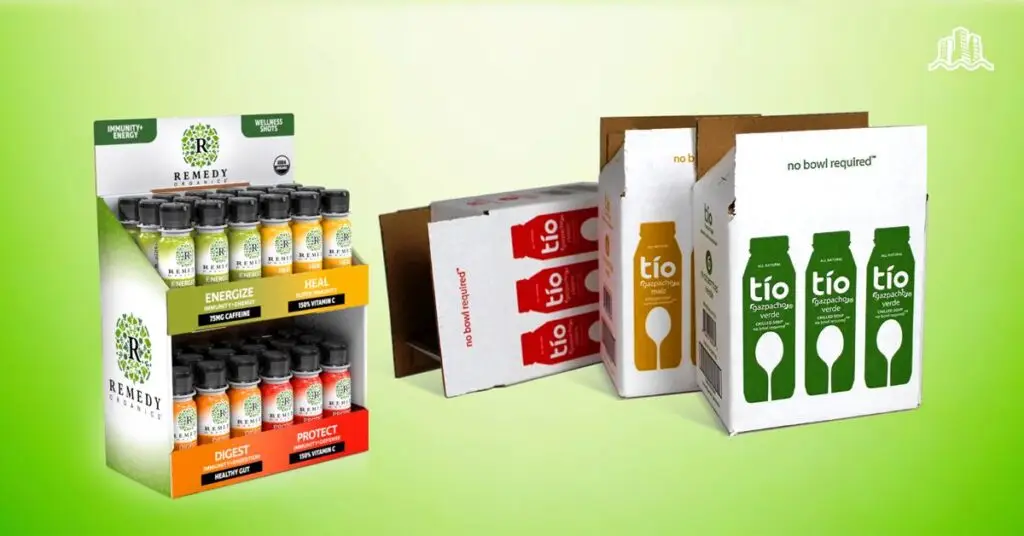
Packaging is an excellent place to begin if you’re looking to streamline your supply chain operations, while simultaneously improving your customer experience. Specifically, upgrading to digitally printed packaging may be an excellent strategy for boosting your business operations and brand.
Whether you’ve got a question about digital vs. flexo printing for industrial packaging or another packaging, design, or POP display concern, the Bay Cities team can help. To get started, request a quote today!
{{cta(‘9476caed-b3c2-4264-9ce8-c9ea98e622d1’)}}